

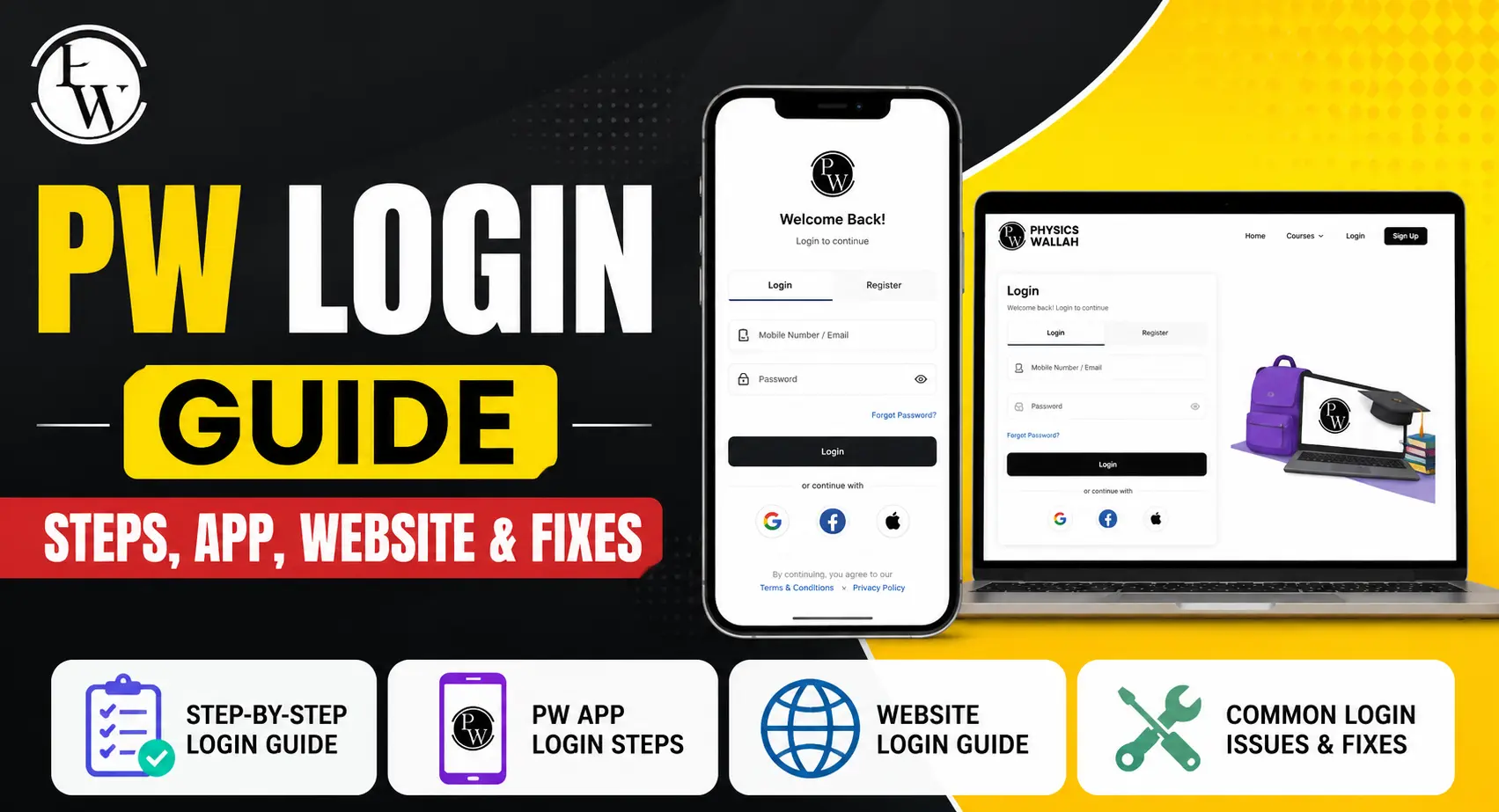
If you’ve ever tried to catch a live physics class at 7 AM and got stuck staring at a blank screen, you already know why a smooth pw login matters more than most students realize. Physics Wallah has grown from a single YouTube channel into one of India’s biggest edtech platforms, and with that growth comes a login system that touches everything — your classes, your test series, your notes, your entire study routine.
This guide walks you through every version of the PW login process: website, app, ERP portal, exam portals, and the fixes for when things go wrong. No fluff, just what you need.
What Is Physics Wallah (PW)?
Physics Wallah started in 2016 as a YouTube channel run by Alakh Pandey, teaching physics to students prepping for JEE and NEET. It wasn’t polished. It wasn’t backed by investors. It was just a teacher with a whiteboard and a camera, and it worked.
By 2020, Pandey partnered with Prateek Maheshwari to turn the channel into a full company. Two years later, PW became a unicorn — a rare feat for an Indian edtech brand, especially one that started as a bedroom YouTube setup. Today, the company runs offline centers, an online learning app, test series platforms, and even its own university arm.
What PW Offers Students
You’re not just getting video lectures anymore. PW covers competitive exam prep (JEE, NEET, SSC, UPSC), school-level Science and Commerce subjects, NCERT solutions, mock tests, and doubt-clearing sessions. There’s also PW Skills for professional courses and PW Med Ed for NEET PG aspirants. It’s a genuinely broad catalog, and almost none of it is usable without logging in first.
Why You Need a PW Login Account
Skipping registration might seem tempting if you just want to browse, but PW locks most of its real value behind an account. Here’s what you’re missing without one.
Access to Your Personalized Dashboard
Once you log in, PW builds a dashboard around your enrolled courses, your batch, and your exam category. It’s not a generic homepage — it adjusts based on what you’re studying, which saves you from digging through irrelevant content every time you open the app.
Live Classes, Recorded Lectures, and Study Materials
Your login is the key to attending live sessions and rewatching recorded ones later. Miss a class because of a family function or a bad internet day? Your account keeps the recording available, along with downloadable notes tied to that specific lecture.
Tracking Progress and Purchased Courses
Every course you buy, every test you attempt, and every assignment you submit gets tied to your account. This history matters when exam season gets close and you need to revisit weak topics quickly instead of hunting through old messages or screenshots.
How to Do PW Login on the Website
The desktop or browser route is still the most reliable way to log in, especially if you’re on a slow connection or an older device that struggles with apps.
Step-by-Step Login Process
- Open your browser and go to the official PW website (https://www.pw.live/).
- Click on the “Login” button, usually placed in the top-right corner.
- Enter your registered mobile number or email address.
- You’ll receive an OTP on your phone or inbox — enter it in the field provided.
- Once verified, you’re redirected straight to your dashboard.
That’s it. No CAPTCHAs to squint at, no lengthy forms. The whole process usually takes under a minute if your OTP arrives on time.
Login via Email or Mobile Number
PW gives you the choice between email and mobile number for sign-in, which is handy if you’ve switched SIM cards recently or your registered number is temporarily unreachable. Just make sure whichever method you pick matches what you used during registration, or the system won’t recognize you.
How to Do PW Login on the Mobile App
Most students, honestly, live on the app rather than the website. It’s built for the way people actually study — in short bursts, between classes, during commutes.
Downloading the PW App
The app is free and available on the Google Play Store for Android users and the App Store for iPhone users. Search “PW – India’s Learning Platform,” confirm it’s published by the right developer, and install it. Given how many lookalike apps exist, double-checking the publisher name avoids a headache later.
Steps to Log In on the App
Open the app, tap “Login,” and enter your registered mobile number. An OTP lands within seconds under normal network conditions. Type it in, and you land directly on your personalized home screen with your enrolled batches visible. From here, everything — live classes, PDFs, test series — is a tap away.
PW Registration Process for New Users
If you’re brand new to PW, login won’t work until you’ve registered first. The process is quick and doesn’t demand much.
Sign-Up Steps
Head to the website or app and look for “Sign Up” instead of “Login.” You’ll be asked for basic details: name, email or phone number, and a password if the platform requires one. Some entry points, particularly the app, skip passwords entirely and rely on OTP-based access instead.
Verification Process
After submitting your details, PW sends a verification code to confirm you’re a real person with a working email or phone number. Enter that code, and your account activates immediately — no waiting period, no approval queue.
Common PW Login Issues and How to Fix Them
Even a well-built platform runs into hiccups occasionally. Here’s how to handle the most common ones without losing your patience.
Forgot Password? Here’s What to Do
Click “Forgot Password” on the login screen, enter your registered email or number, and follow the reset instructions sent to you. Most students find this resolves within a couple of minutes, though checking your spam folder helps if the email doesn’t show up right away.
OTP Not Received
This one’s frustrating but usually fixable. Check your network signal first — weak signal is the most common culprit. If that’s fine, wait 60 seconds and request a fresh OTP rather than repeatedly hammering the “resend” button, which can sometimes trigger a temporary block.
Account Locked or Login Failed Errors
Too many wrong password attempts can temporarily lock your account. If this happens, wait a short while before retrying, or use the password reset option to regain access immediately rather than guessing further.
Browser or App Glitches
Sometimes the problem isn’t your credentials at all — it’s a cached file or an outdated app version. Clear your browser cache, or update the PW app from the store, then attempt login again. This resolves a surprising number of “login failed” complaints.
PW Login for Different Platforms and Portals
Here’s something a lot of students don’t realize: PW doesn’t run on a single login system. Depending on what you’re accessing, you’ll land on a different portal.
PW ERP Login
The ERP portal handles administrative and academic management functions separately from the main learning app. Students and staff involved in offline center operations typically use this login.
PW Test and Exam Portal Login
Certain exams run through dedicated testing portals rather than the main app — PWSAT admit cards, for instance, are accessed through a separate exam-specific login where you enter your mobile number and OTP to retrieve documents.
PW Skills and Other Subsidiary Logins
Since PW owns several subsidiaries — PW Skills, PW OnlyIAS, Xylem Learning, and others — some of these run their own login systems tied to their specific platforms. If you’re enrolled in one of these, don’t assume your main PW credentials will automatically work there without separate registration.
Tips for a Secure and Smooth PW Login Experience
A few small habits go a long way toward avoiding login trouble altogether.
Use a Strong, Unique Password
If your login method involves a password, avoid reusing the same one from your email or social media accounts. A unique password limits the damage if any other account gets compromised elsewhere.
Keep Your Registered Details Updated
Changed your phone number recently? Update it in your PW profile settings immediately. An outdated number means missed OTPs, and missed OTPs mean you’re locked out right when you need access most — usually before a test.
Watch Out for Fake Login Pages
Search results sometimes surface lookalike sites mimicking PW’s login page to steal credentials. Always type the official URL directly or use the verified app rather than clicking random search links, especially ones promising shortcuts or free premium access.
Benefits of Using PW After Login
Once you’re past the login screen, the platform genuinely earns its reputation among Indian students.
Wide Range of Courses
Whether you’re targeting JEE, NEET, SSC, UPSC, or even NEET PG, PW’s course catalog spans dozens of exam categories. That breadth means you’re not switching platforms as your goals shift over the years.
Free and Paid Resources
Not everything sits behind a paywall. PW offers a good amount of free content — revision notes, NCERT solutions, and select recorded lectures — alongside its paid course structures, which makes it accessible even for students on a tight budget.
Community and Doubt-Clearing Support
Studying alone is hard. PW’s doubt-clearing sessions and community features give students a way to ask questions and get answers without waiting for the next physical class, which matters a lot during exam crunch time.
Frequently Asked Questions
How do I create a PW account?
Visit the PW website or app, tap “Sign Up,” and fill in your name, email or phone number, and any other requested details. Verify using the OTP sent to you, and your account is ready.
How can I reset my PW login password?
Click “Forgot Password” on the login page, enter your registered email or mobile number, and follow the reset link or code sent to you.
Is PW login free?
Yes. Creating an account and logging in costs nothing. You only pay when you purchase specific paid courses or test series.
What should I do if I don’t receive an OTP during PW login?
Check your network signal, confirm the number or email is correct, wait about a minute, and request the OTP again. Persistent issues usually mean it’s worth restarting the app or checking your spam folder for email OTPs.
Can I log in to PW on multiple devices?
Yes, your account works across devices — phone, tablet, or browser — as long as you use the same registered credentials each time.
What is the official PW login website?
The official platform is accessed through pw.live. Always confirm you’re on this domain before entering any personal details.
Wrapping Up
Getting into your PW account shouldn’t eat into your study time, and for most students, it doesn’t — a working login takes under a minute between the OTP and the dashboard loading. Where it gets messy is usually something small: an outdated phone number, a weak signal, or a mixed-up password. Fix those basics, keep your details current, and PW’s actual value — the classes, the notes, the test series — is just a tap away.
If you’re just getting started, register today, get comfortable with the login flow, and let the platform do what it’s built for: helping you study smarter, not harder.
 PreetiJha
  samanvya